
BAi is Bookmerce’s AI assistant. It answers questions about setting up and using Bookmerce from our help articles, inside the app, at any hour. When it can’t sort something out, or you’d rather talk to a person, our founder takes over in the same chat.
Ask a question
- In Bookmerce, open Settings › Help. Ask BAi on Home’s setup checklist and at the end of each help article in the app takes you there too.
- Press Ask a question.
- Type your question in English, French, Spanish, Arabic or Urdu. BAi answers in the same language.

BAi answers with short steps and a link to the help article, which opens inside the chat. You can add up to 4 pictures to a message, like a screenshot of what you see.
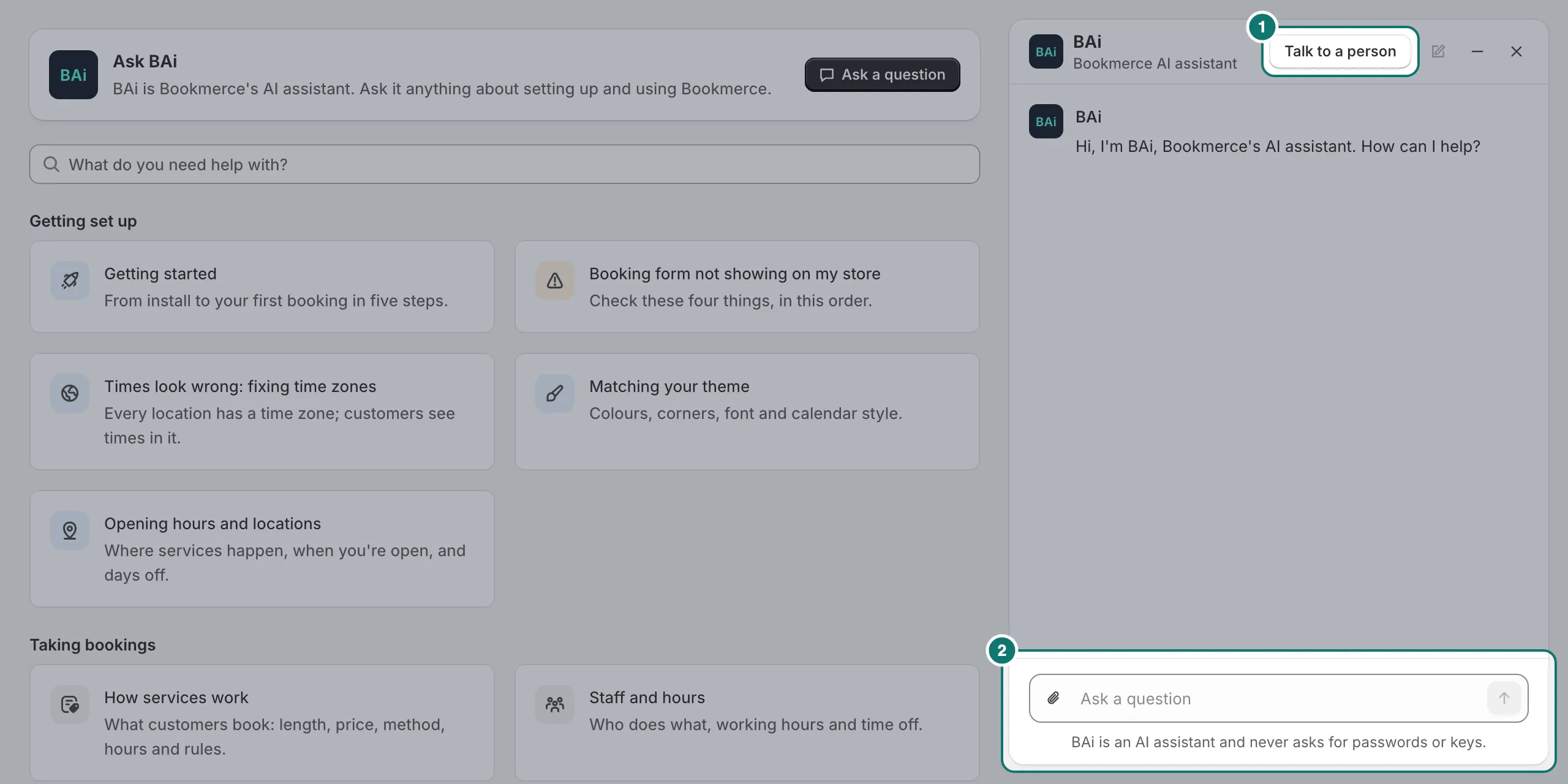
The chat stays open while you move between pages. Minimise it and a round BAi button sits in the corner, with a dot when there’s a new reply. BAi never asks for passwords, keys or card numbers, and if you type one by mistake it’s hidden.
Talk to a person
Press Talk to a person at the top of the chat, and our founder takes over. BAi also brings him in by itself for problems with bookings or checkout, billing, privacy, and anything it isn’t sure of.
Our founder is online every day from 12:00 noon to 2:00 a.m. Pakistan time, and usually replies within an hour then. Outside those hours, the chat shows when he’s back, in your own time zone.
Free setup
Ask BAi to set something up for you, like your services. It gives you the steps first, so you can do it straight away. During the free launch, and on the Growth and Pro plans after it, it also offers to have our team set it up for you, for free:
- BAi asks for what’s needed, a few things at a time: your services with their length and price, staff and hours, location and how customers pay.
- It writes a summary for you to confirm. If your store asks collaborators for a request code (Settings › Users › Security › Collaborators in Shopify), BAi asks for it. That code isn’t a password.
- Our founder sends you a collaborator access request from Shopify. Approve it, and he sets everything up.
Some steps need your own sign-in, key or approval, so you always do them yourself, with BAi’s steps: switching on booking in your theme, connecting calendars, your Klaviyo key, Shopify Flow, customer accounts, and approving any plan.
On the Free plan after launch, BAi gives you the steps to do it yourself. See Pricing.
Other ways to reach us
Prefer not to chat? At the bottom of Help, press Email, or write to [email protected] with your store’s address.

Your chats
Chats are kept for 3 months on the Free plan, and 12 months on Growth, Pro and during the free launch. Pictures in them are deleted after 3 months. Messages are sent to Anthropic, our AI provider, to draft replies. More in our privacy policy.