
Take bookings for
appointments
on your Shopify store.
Appointments, classes and events, booked and paid inside your store. It takes on your theme's look, so it feels like part of your shop.

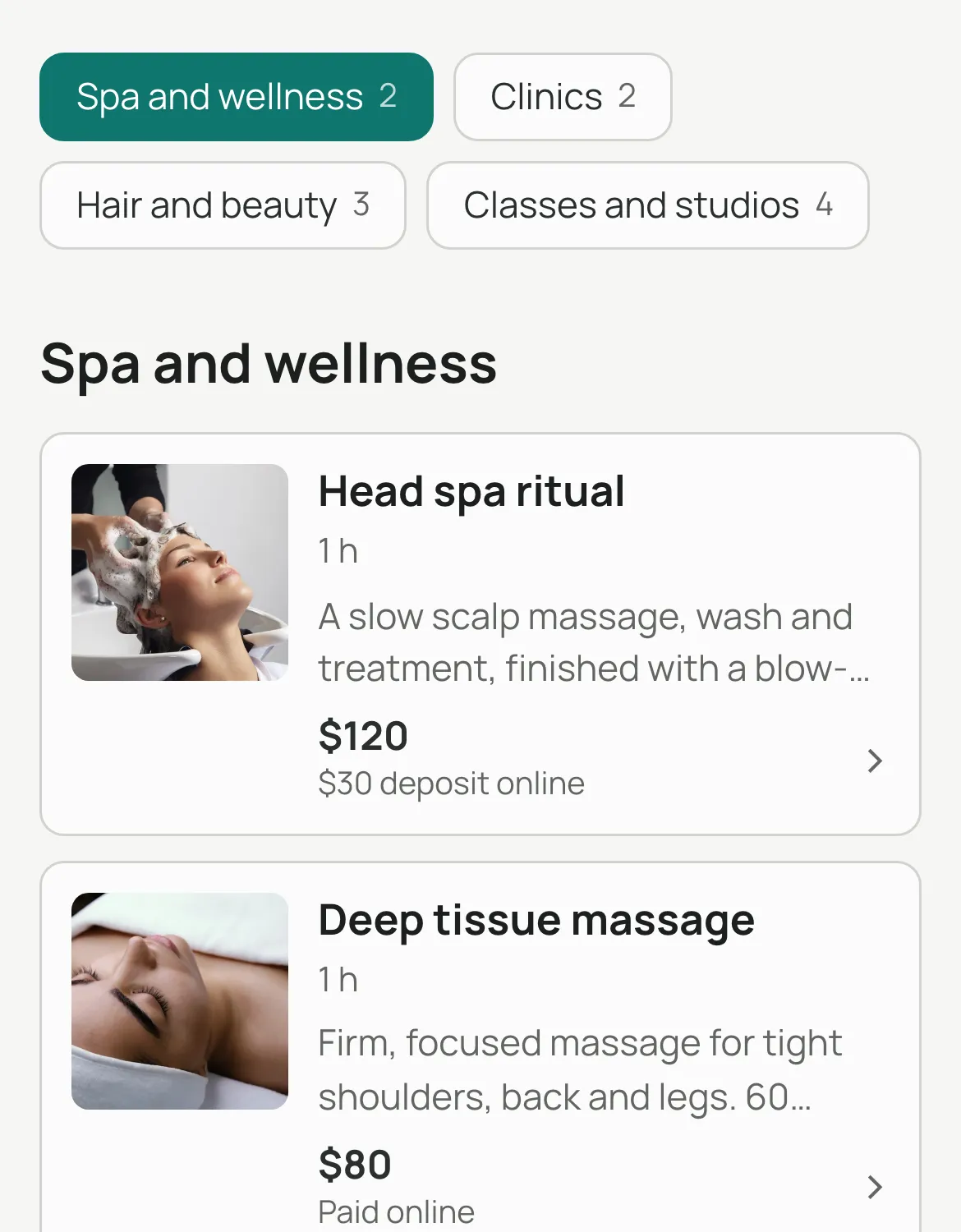
Head spa ritual
60 min · $120 · $30 nowTimes are in New York time.
Head spa ritual
60 minYou're booked
We've sent the details to your email.
 Priya Shah · Still
Reference K7M2QX9P · Change or cancel
 Shopify checkout
 Google Calendar
 Outlook.com
 Google Meet
 Klaviyo
Coming soonZoom
From booking to coming back, in one place.
Your customer books on your store, pays in your checkout and can change it later. You never leave Shopify.
Customers pick a service, a person and a time, right on your store.

Every way your customers want to pay.
Pick how each service is paid. The booking form changes to match, and online payments go through your own Shopify checkout.
You choose per service, and you can approve each request before it's booked. Customers who'd rather message first can send their request on WhatsApp, and you confirm it in Bookmerce. Paid bookings can't slip through as cash on delivery.
Your whole day in one calendar, inside Shopify.
- Working hours per staff member and location
- Time off that closes the diary for one person only
- Bookings go into Google and personal Outlook calendars; busy times there block booking
Your theme, your colours. Nothing to design.
The booking form takes on your theme's fonts, colours and corners, on any page.





Your booking
Reference H4RB0R2D
Free to change or cancel until Wed 21 Oct, 09:00.
Your booking
Reference H4RB0R2D
Free to change or cancel up to 24 hours before.
Dental check-up
30 min · $90Times are in New York time.
Booking moved
Reference H4RB0R2D
We've sent the new time to your email.
Free to change or cancel until Wed 21 Oct, 09:00.
Booking cancelled
Reference H4RB0R2D
We've let the store know.
Customers change bookings themselves.
- Change or cancel from the confirmation email, within the rules you set
- Appointments in the customer's Shopify account
- Your calendar and your staff's calendars update on their own
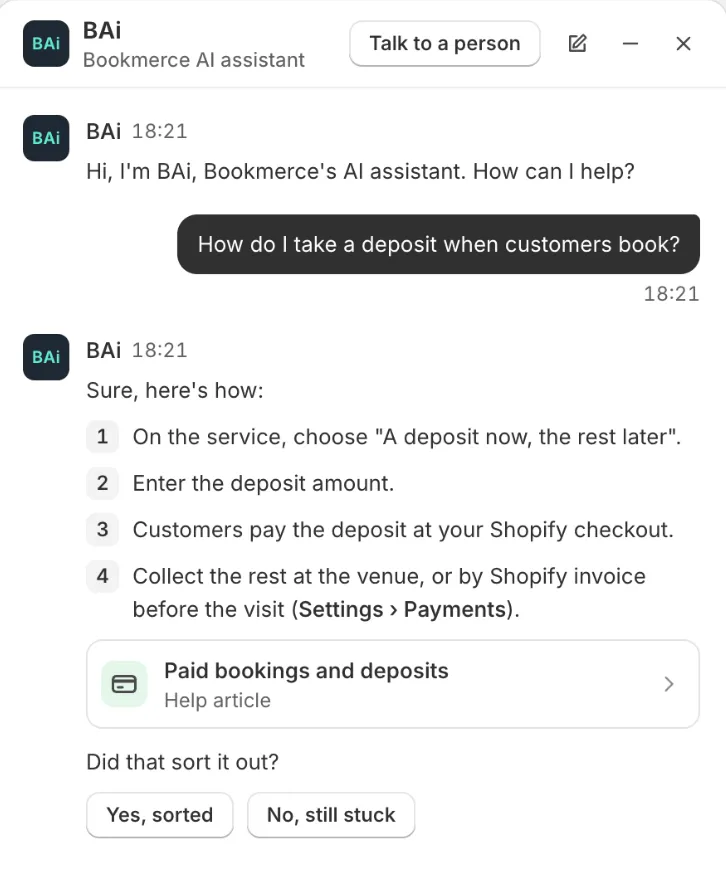
Stuck? Ask BAi, right inside Bookmerce.
Our AI assistant answers from our help articles, at any hour. When you'd rather talk to a person, our founder steps in.
- English
- اردو
- العربية
- Español
- Français
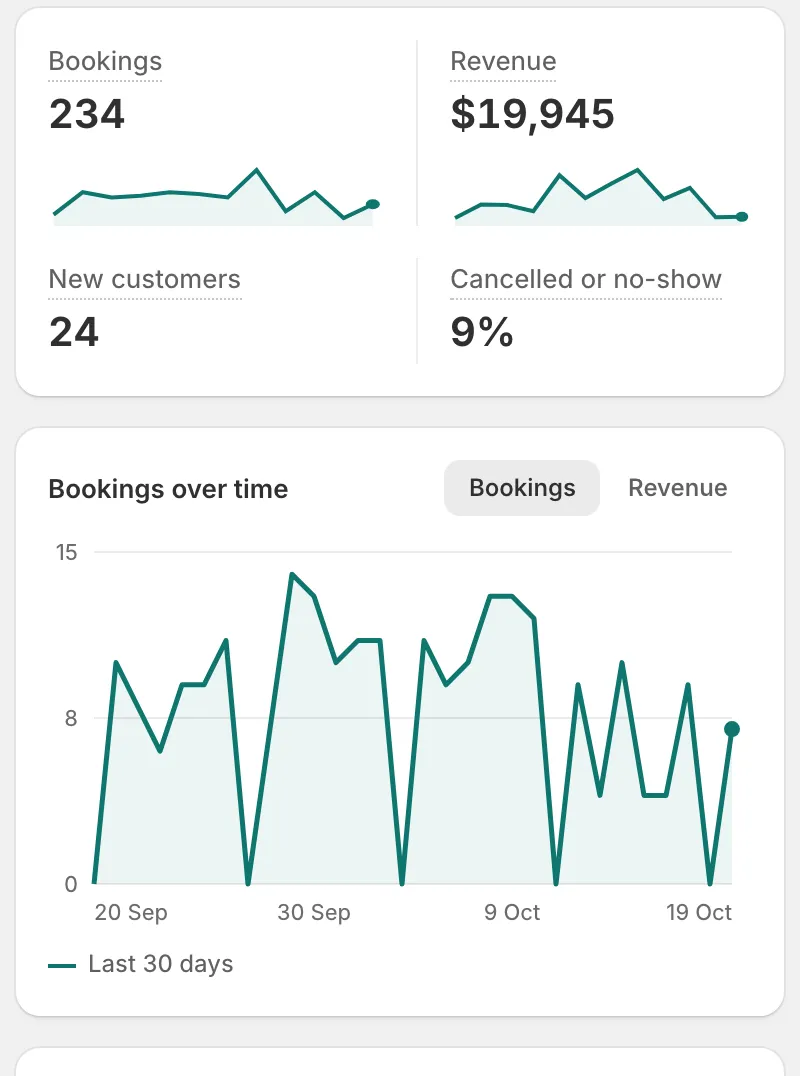
Everything else, included.
Requests to approve, classes and events, analytics, a booking page of your own, and more.
How Bookmerce compares.
| Feature |  Bookmerce Bookmerce | Cowlendar | Easy Appointment Booking | Sesami |
|---|---|---|---|---|
| Free plan | Everything during launch; 2 services after | 5 bookings a month | 1 service, unlimited bookings | Development stores only |
| Paid plans from | $9 a month, after launch | $13.99 a month | $15 a month | $19 a month |
| Limit on paid plans | None on bookings | Booking revenue ($1,000 a month on $13.99) | None on bookings | 5 staff or resources on $19 |
| Deposits | Free | Every plan | $39 plan | Not listed |
| Pay at the venue | Free | Not listed | Not listed | Not listed |
| Google Calendar sync | Free | Every plan | $29 plan | $19 plan |
| Outlook sync | Free, personal accounts | Every plan | $39 plan | Not listed |
| Customers reschedule or cancel | Free | Every plan | $29 plan | $129 plan |
Read from each app's Shopify App Store listing on 18 Oct 2026. Prices in US dollars. "Free" and "Every plan" mean the free plan includes it. "Not listed" means it isn't on their listing; they may still offer it. Bookmerce prices apply once paid plans begin; until then, every feature is free.
Free for every store during launch.
These plans begin after launch. Install before then for founding prices: 50% off monthly for a year, or 75% off your first year on yearly.
Free
- Unlimited bookings and customers
- All payment options, including deposits
- Calendar sync and booking approvals
Growth
- Up to 5 staff, unlimited services
- Your reminder times, and a thank-you
- Classes and events, with ticket types
Pro
- Unlimited staff and locations
- Priority support
- Klaviyo, and Shopify Flow coming soon
Questions
Does it work with my theme?
Yes. Bookmerce reads your theme's fonts, colours and corners, and you place the booking form in Shopify's theme editor. No code.
What is included for free?
During our launch, every available feature is free for every store. After launch, the Free plan includes 1 staff member and up to 2 services, with all payment options, calendar sync, booking approvals, your own questions and a reminder 24 hours before. When paid plans start, you'll get at least 30 days' notice in the app and by email, plus founding prices: 50% off monthly for the first 12 months, or 75% off your first year on yearly.
What does Bookmerce do with Google Calendar?
If you connect a staff member's Google Calendar, Bookmerce reads only the times they are busy, so customers can't book those times, and adds each booking to their calendar, updating or removing it when the booking changes. It never reads what their other events are about, and you can disconnect at any time. How we handle Google data.
How do customers pay?
Through your own Shopify checkout, so money reaches you the way it already does. Or they pay at the venue, or leave a deposit and pay the rest there.
Can I take deposits?
Yes. Set a deposit on any service. The customer pays it at checkout and the rest at the venue.
Which languages?
The booking form, booking page, What's on, your customers' booking and account pages, and customer emails come in English, French, Spanish, Arabic and Urdu, and follow your store's language automatically. Arabic and Urdu read right to left. Emails to you and your staff are in English.
How do I get help?
Inside Bookmerce, open Settings › Help and press Ask a question. BAi, our AI assistant, answers from our help articles at any hour, and a person from our team takes over when needed. You can also email [email protected], or read the help articles. How Ask BAi works.
Start taking bookings today.
Free while we launch. No credit card.